
DNNGo PageBuilder Manager
DNNGo PageBuilder is the core component of the Flux theme, used to create page layouts, adjust theme colors and typography, configure the Mega Menu, and more.
Shortcut Icons
After the theme is applied correctly, three shortcut icons appear on the left side of the page, providing quick access to commonly used settings.
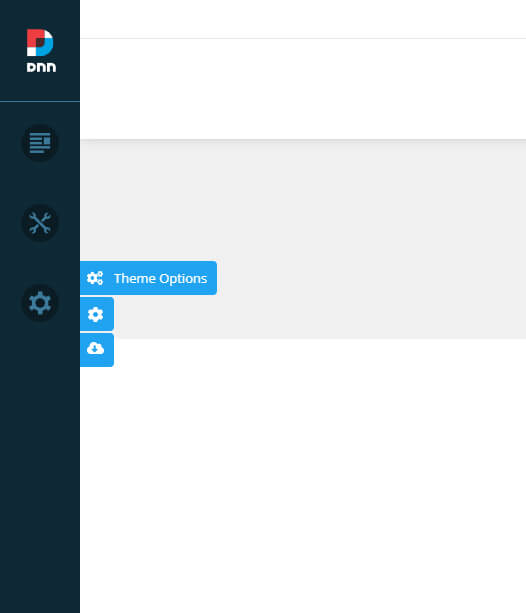
| Icon | Description |
|---|---|
| Theme Options | Opens the global theme settings to configure site-wide style options such as colors, font sizes, and fonts |
| Page Options | Opens the standalone settings for the current page; each page can use a different configuration |
| Import Page Template | Opens the import dialog to import a page template; after importing, the page content will match the demo site |
Management Entry Point
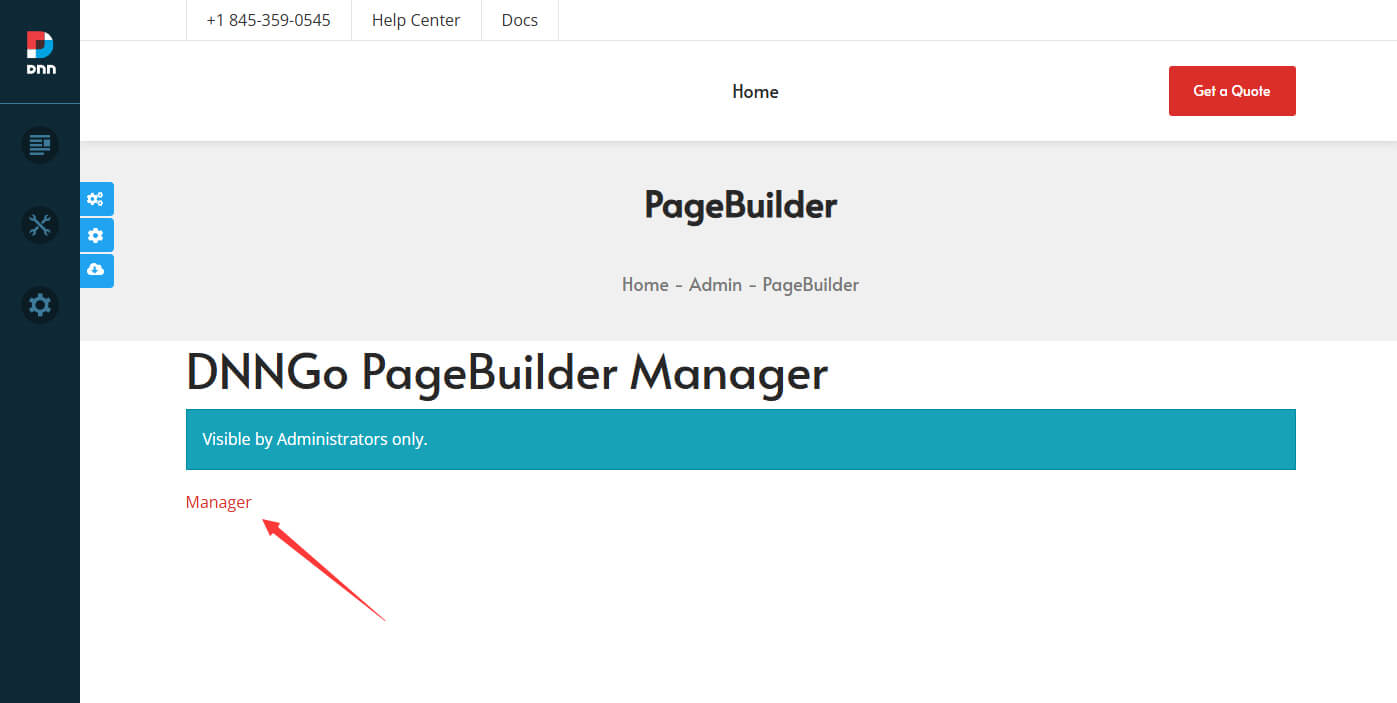
In addition to the shortcut icons, you can also reach the full Manager settings page through the back-end menu:
- In the Manage menu on the left side of the page, click PageBuilder.
- On the PageBuilder page that opens, click the Manager link.
Management Page
After entering the DNNGo PageBuilder Manager, the left navigation contains the following sections:
| Section | Description |
|---|---|
| Pages | Lists all pages in the site. You can configure individual pages, import page templates, and set up a Mega Menu for top-level pages. See Pages |
| Layouts | Configures the overall page layout, divided by area into Header Layouts, Content Layouts, and Footer Layouts |
| Library | Centrally manages the site's reusable resources (images, icons, and other media assets), with support for unified upload, categorization, and maintenance |
| Settings | The global configuration center, containing Theme Options / Global Settings / LLM Settings / Import Export (see the table below) |
| License | View and activate the theme license. See License |
Settings Sub-items
| Sub-item | Description |
|---|---|
| Theme Options | Global theme style settings. See Theme Options |
| Global Settings | Site-wide general settings. See Global Settings |
| LLM Settings | Large language model configuration for the AI features. See AI Configuration |
| Import Export | Import and export of site data |
PageBuilder's drag-and-drop layout
In traditional themes, layouts are hard-coded through ASCX files, making them difficult for non-technical users to customize. With the Flux theme, administrators can set up layouts by drag and drop, with no programming knowledge required.