
Import a Page Template
By importing a page template, you can quickly apply a preset page layout and content to the current page, making it match the demo site. This is the fastest way to build a new page.
Import Overwrites Existing Content
Importing a template will overwrite the current page with the preset content. If the current page already contains important content, please back it up first.
Steps
- Log in to the site as a SuperUser.
- Navigate to the page where you want to import the template.
- Add the DNNGo PageBuilder module to the page.
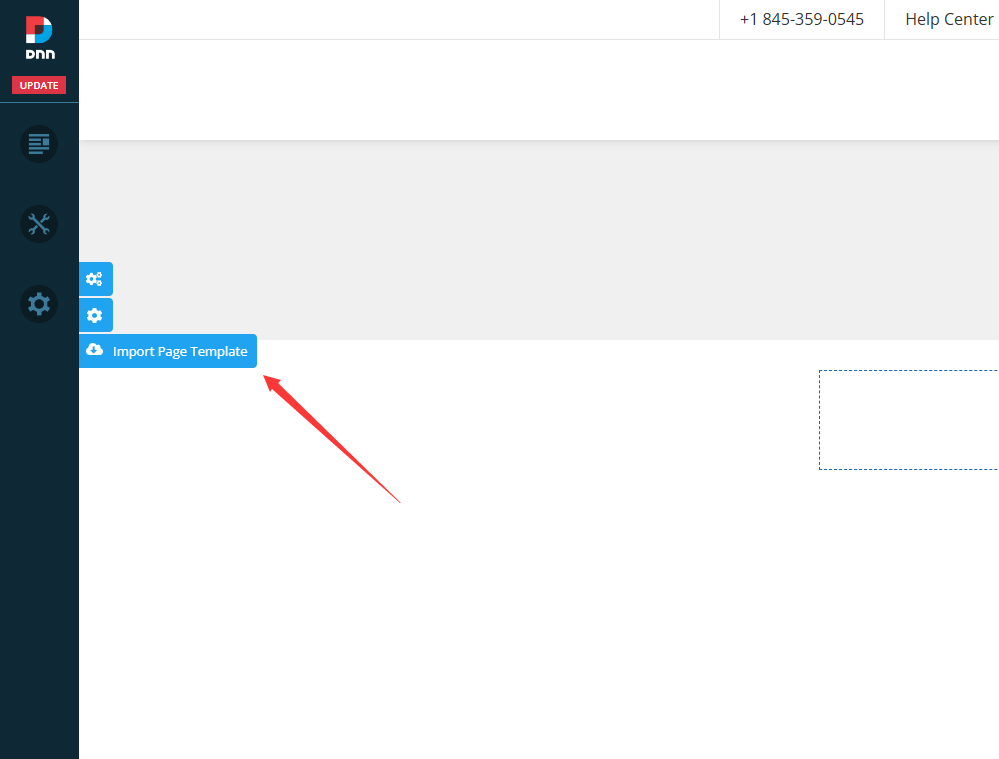
- Click the Import icon on the left side of the page.
- In the template list that appears, select a page template and confirm the import.
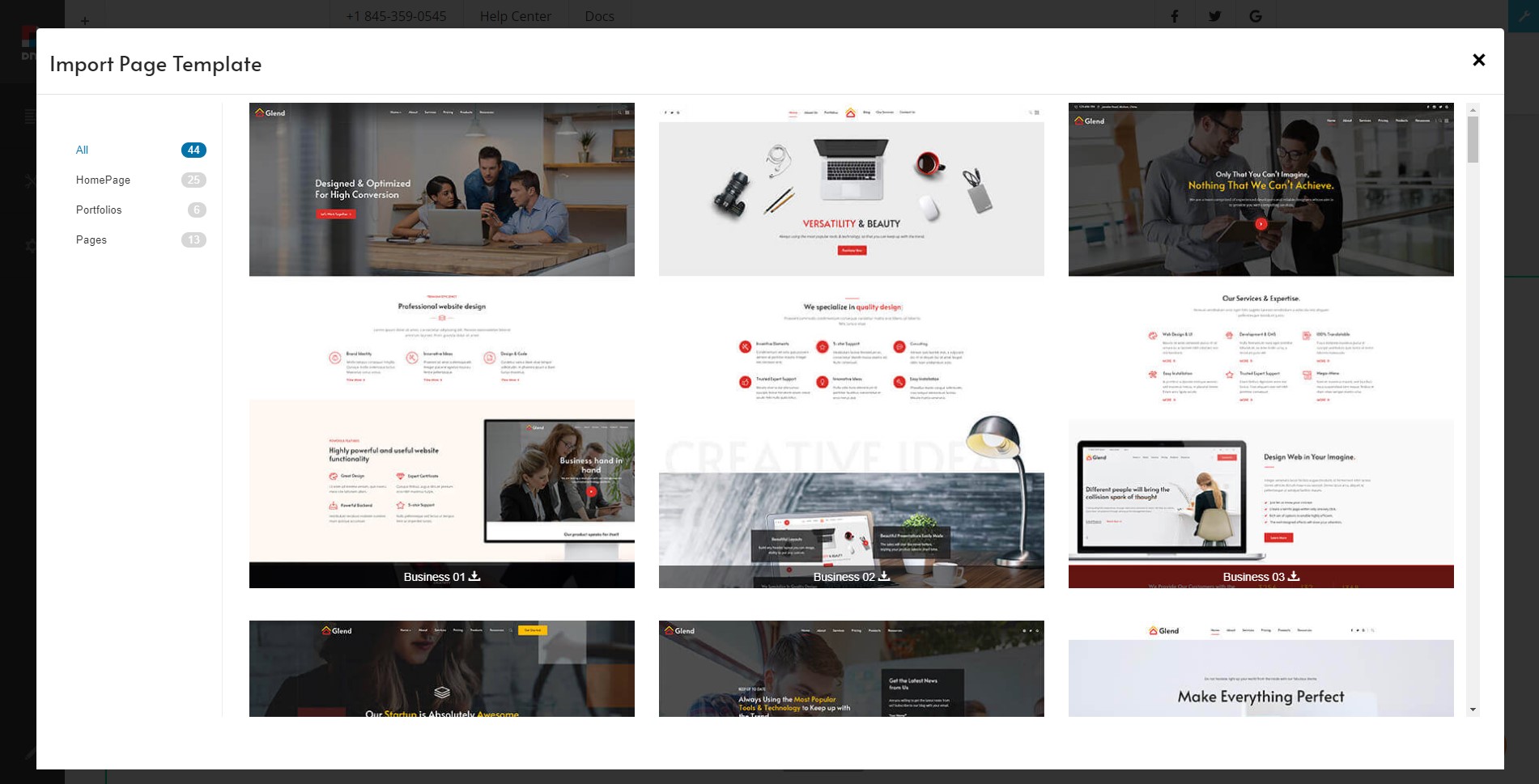
After the import is complete, the current page will apply the layout and content of the selected template. You can continue editing from there.